How-to guide

Sort by Subject or Time (Ascending / Descending)

Tap the “Subject Ratio” tab.

Displays the study time for each subject within the selected period as a pie chart.
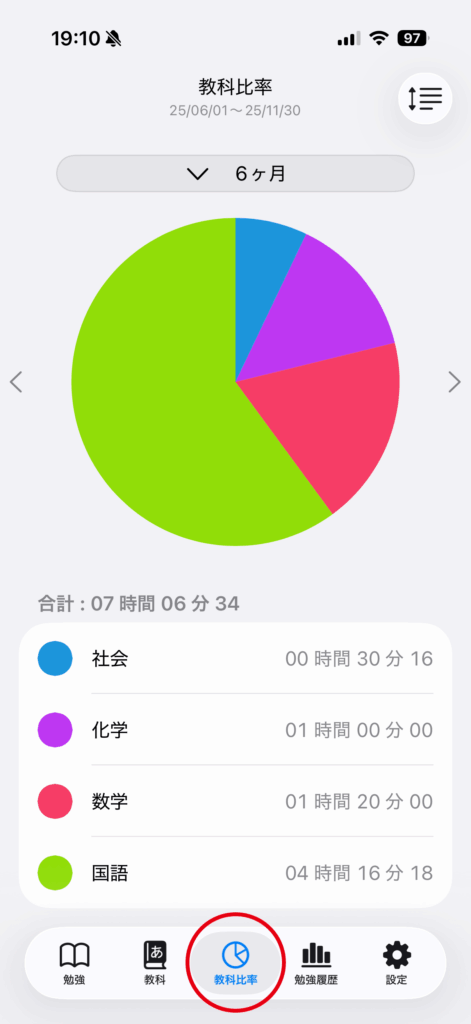
Sort by Subject or Time (Ascending / Descending) app screen 1

Tap the sort button in the top right corner.
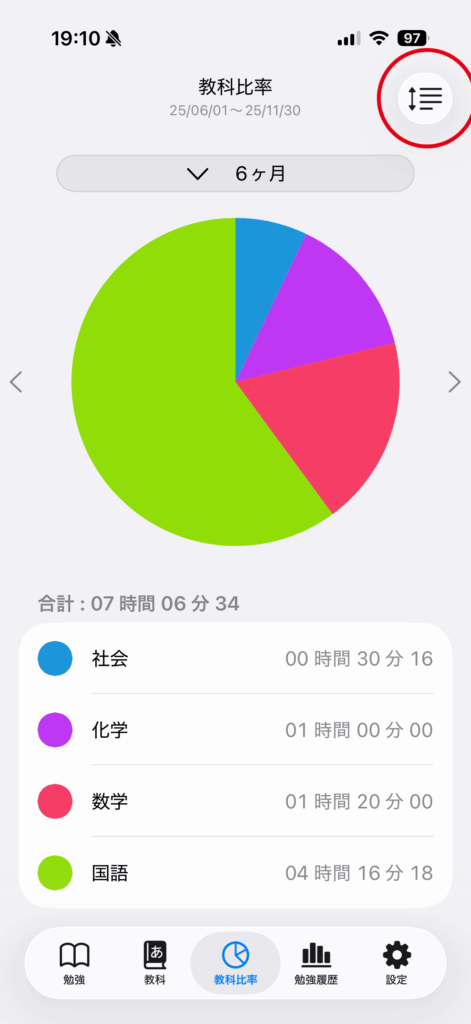
Sort by Subject or Time (Ascending / Descending) app screen 2

Tap your preferred sorting option to change the subject display order.
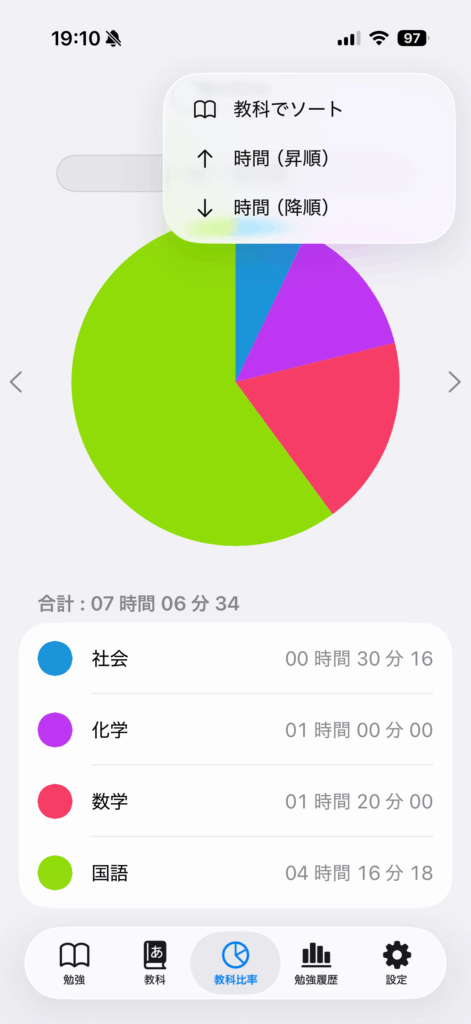
Sort by Subject or Time (Ascending / Descending) app screen 3

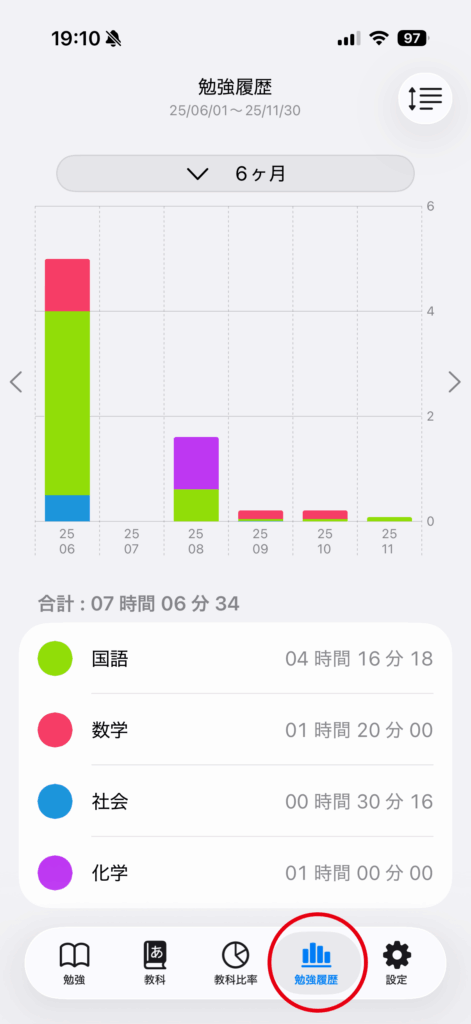
Tap the “Study History” tab.

Sort by Subject or Time (Ascending / Descending) app screen 4

Shows a bar chart of study history for each subject within the selected period.
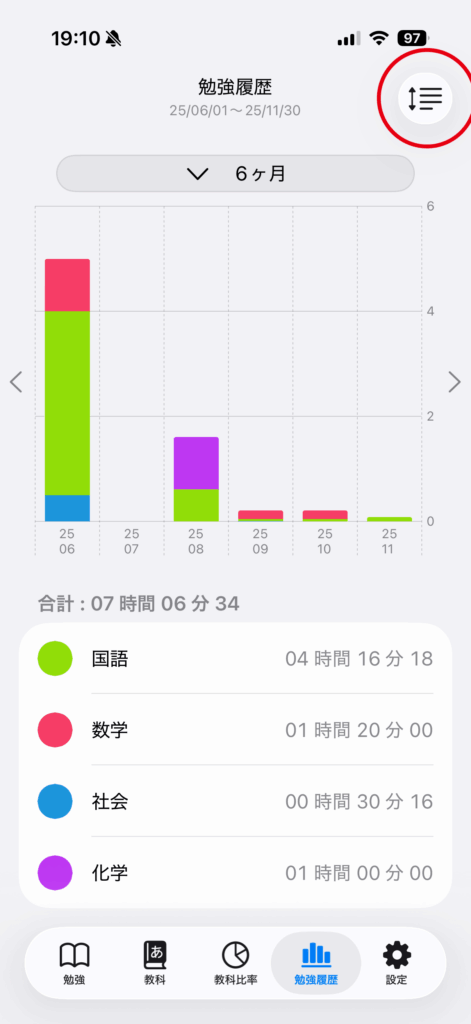
Sort by Subject or Time (Ascending / Descending) app screen 5

Tap the desired sort option to change the display order of subjects.
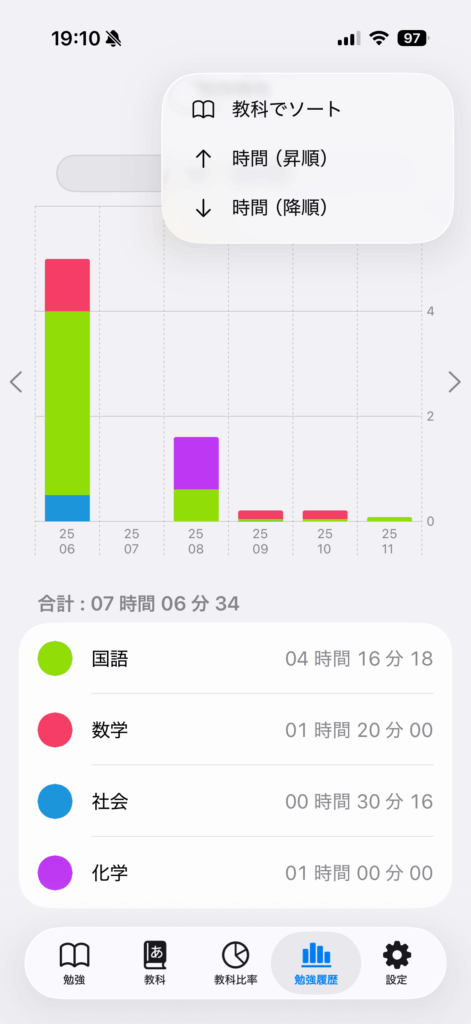
Sort by Subject or Time (Ascending / Descending) app screen 6