
Register the subjects you want to study.
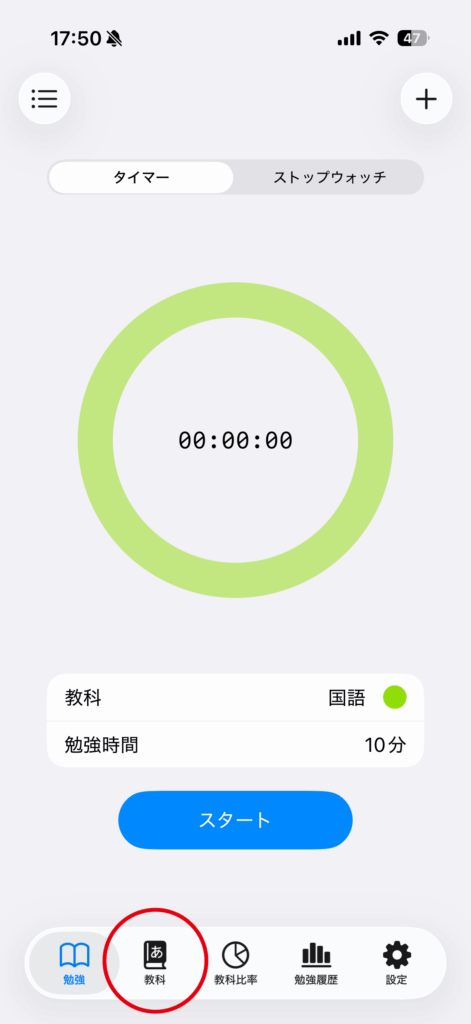
Tap the “Subjects” tab.
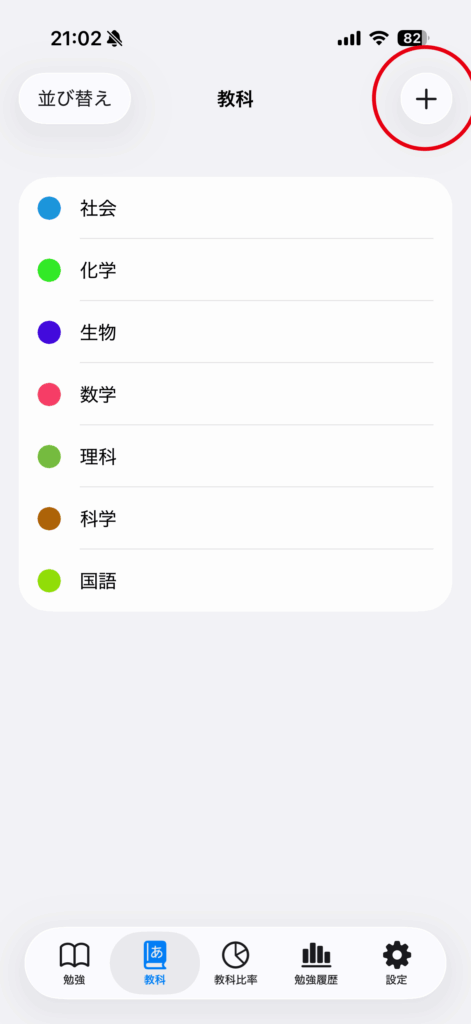
Tap the “+” button in the top right corner.
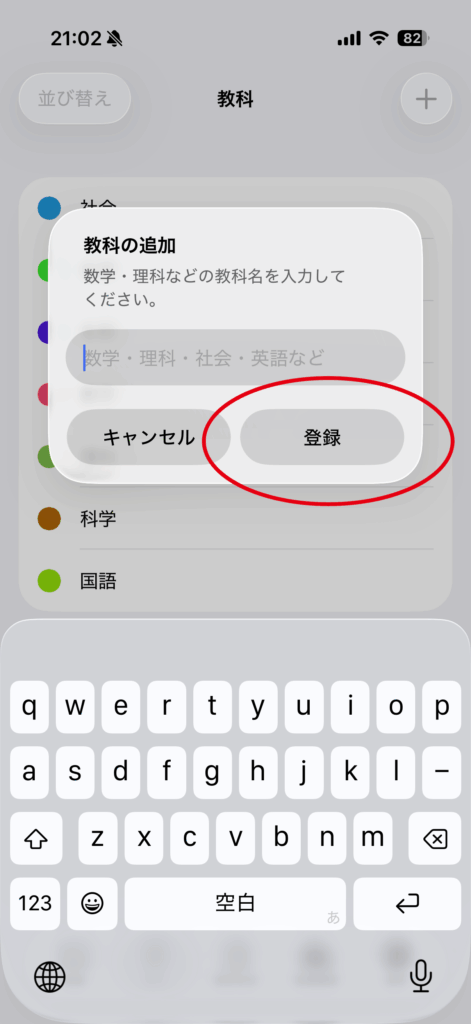
Enter the subject name and tap “Register” to complete.
Reorder subjects
Tap “Sort” at the top left, then drag rows to keep frequently used subjects near the top. Tap “Finish Sorting” when you are done.
Hide or show a subject
Long-press a subject and choose “Hide” to remove it from the Timer, Stopwatch, and manual-entry selectors. Its earlier study history remains. Long-press a hidden subject and choose “Show” to make it selectable again.
Before deleting a subject
Deletion cannot be undone. If you want to keep earlier history associated with a subject, hide it instead of deleting it. Creating a backup first is recommended.