
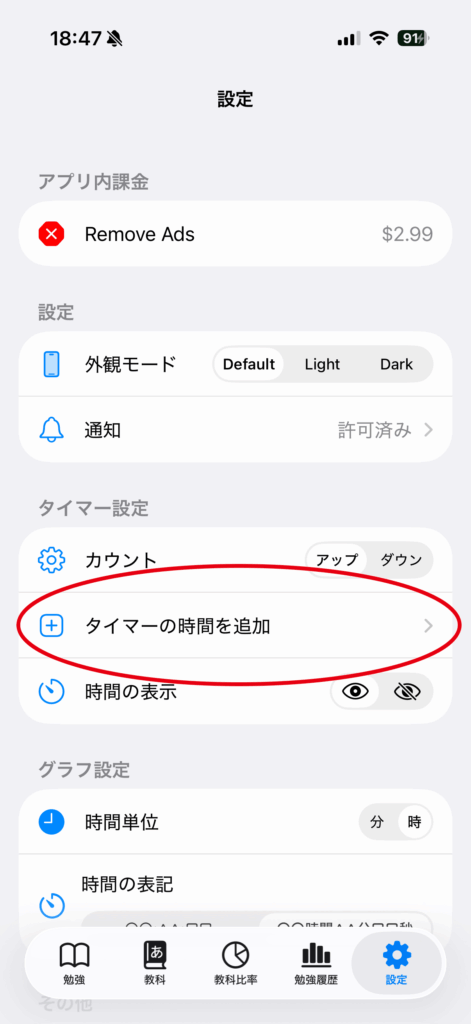
Open “Settings” in the app, then tap “Add Time to the Timer”.
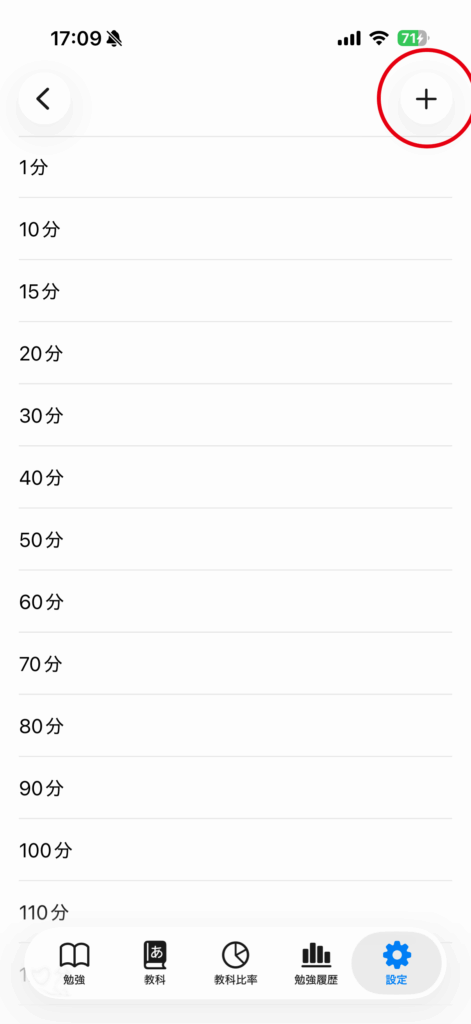
Tap the “+” button in the top right corner.
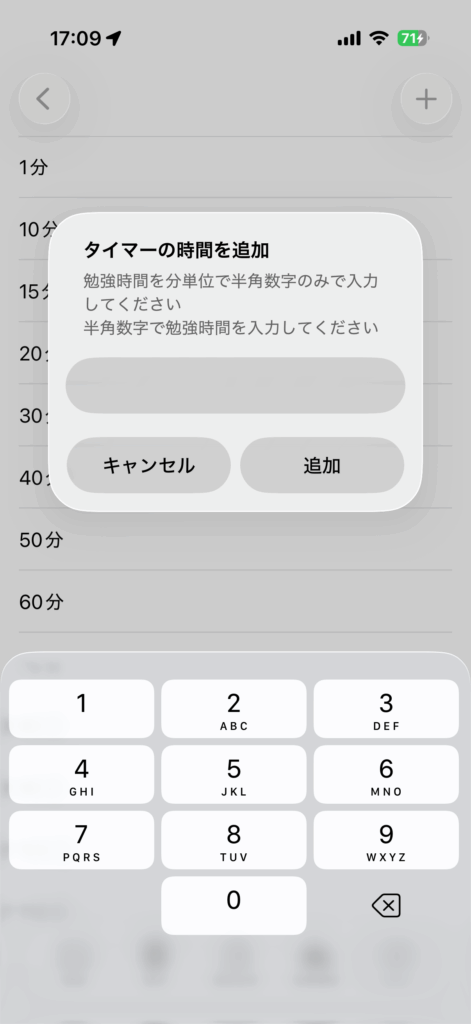
Enter your desired time, then tap “Add”.
Delete
You can delete a timer by long-pressing the one you added.
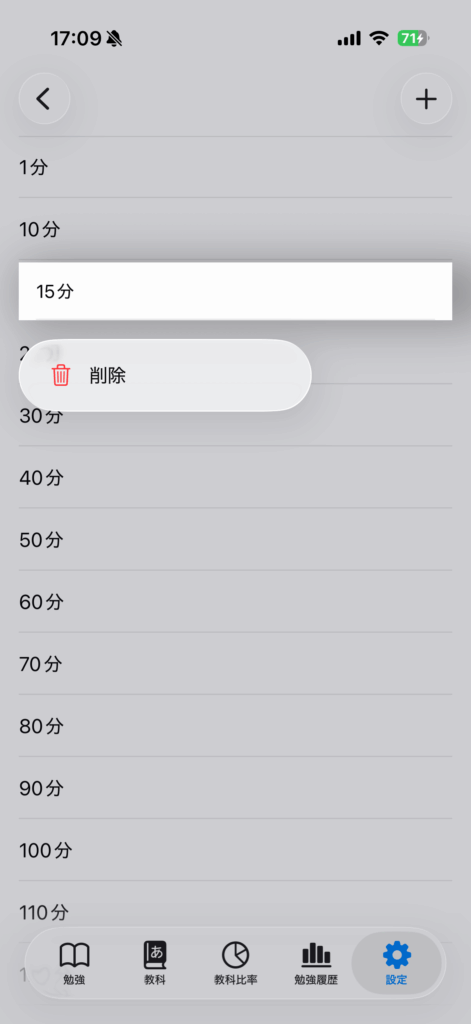
You can organize both added and standard durations. Swipe a row to the left and choose “Delete,” or long-press it. At least one duration must remain.